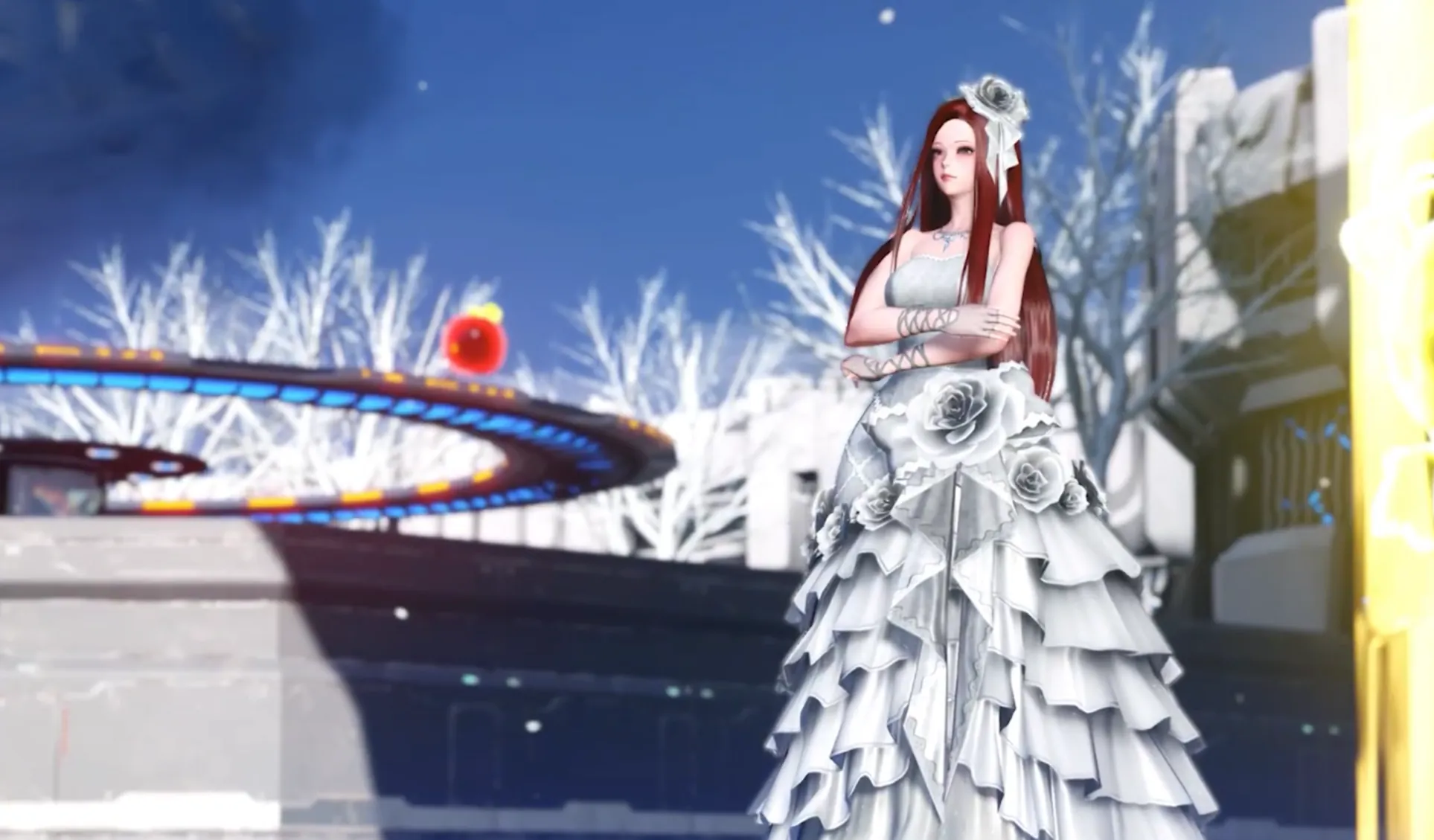

Many people often ask why their character's face doesn't look the same as the provided preset, even though they followed every single slider setting exactly.
While slider values define the core foundation of a character's face shape. More often than not, the secret behind a great-looking preset isn't just about perfect proportions—it's about how makeup, hairstyles, and custom accessories are combined to manipulate shadows and facial contours. This quick log is put together to break down exactly how crucial these external elements are, and why a character's visuals can shift drastically without the proper complementary items.
The Makeup and Accessories Removal Experiment

We can test what happens if all facial accessories, eyelashes, pupils, and makeup are completely removed while keeping the exact same slider settings.
As a baseline, this character initially uses a few custom items :
Let's remove the items one by one to see the changes!
Removing Glassy Lip Gloss/4
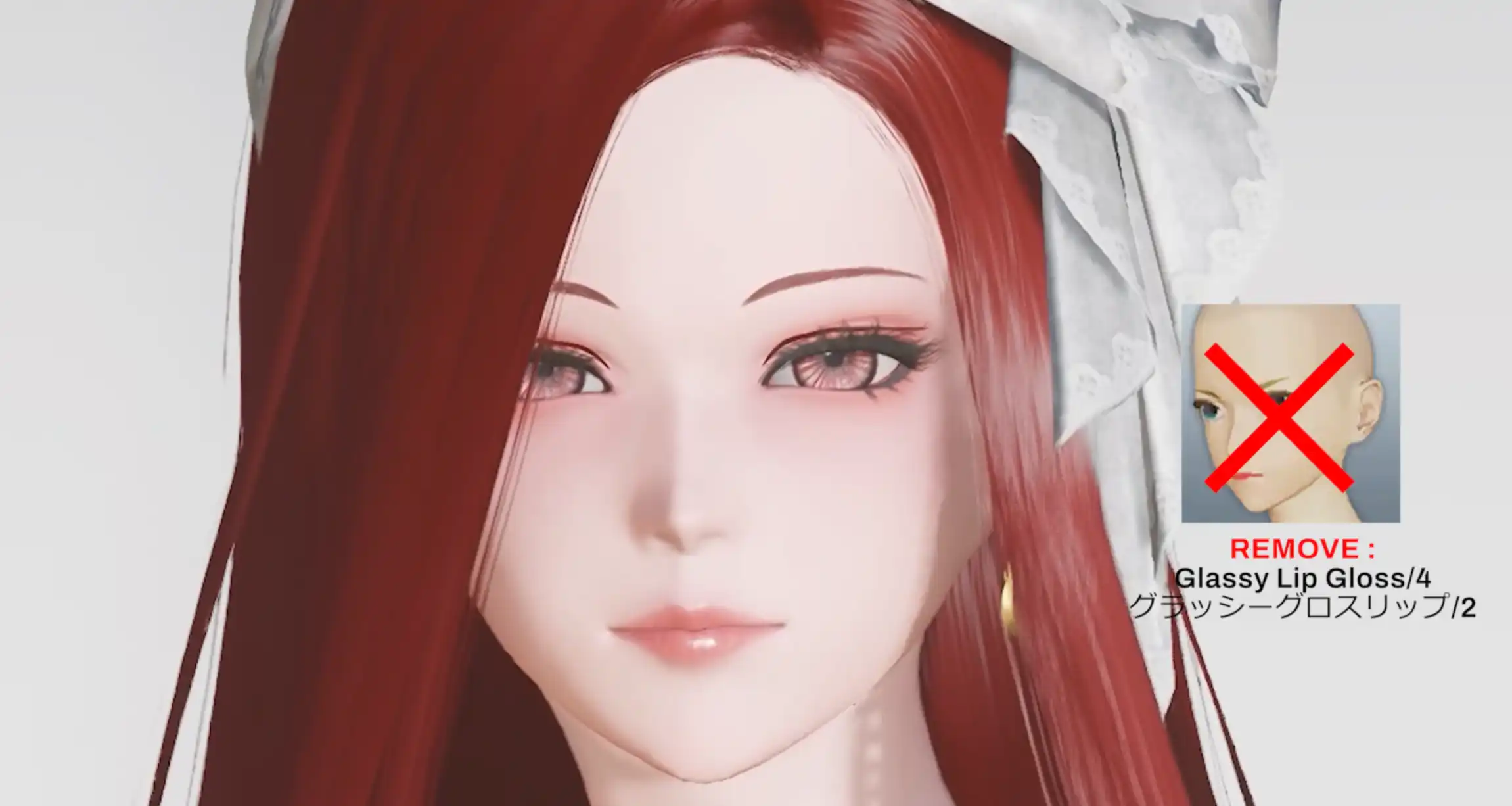
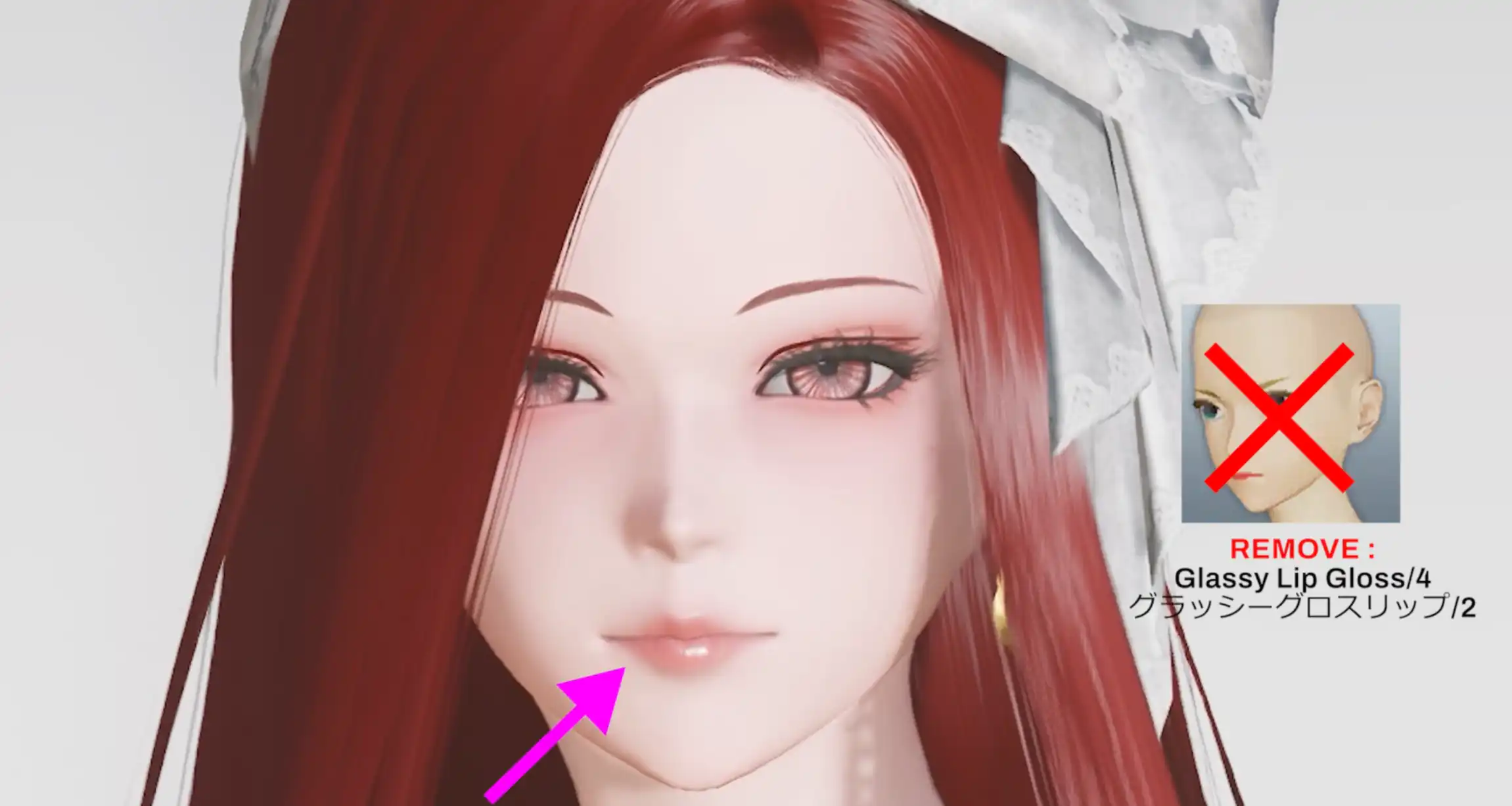
The change isn't very noticeable. This item really just functions to even out the lipstick slightly for a cleaner look.
Removing Soft Makeup/B
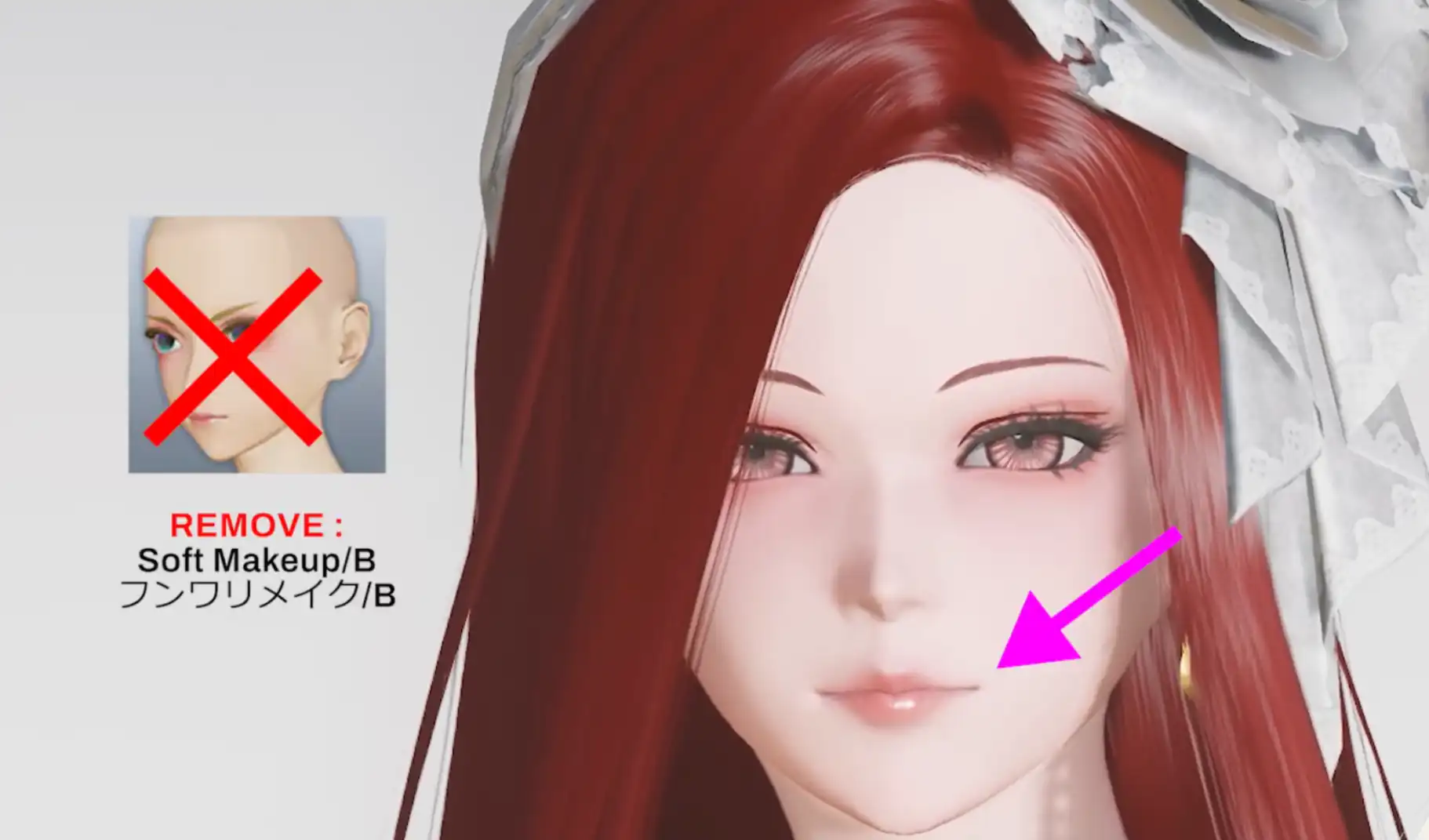
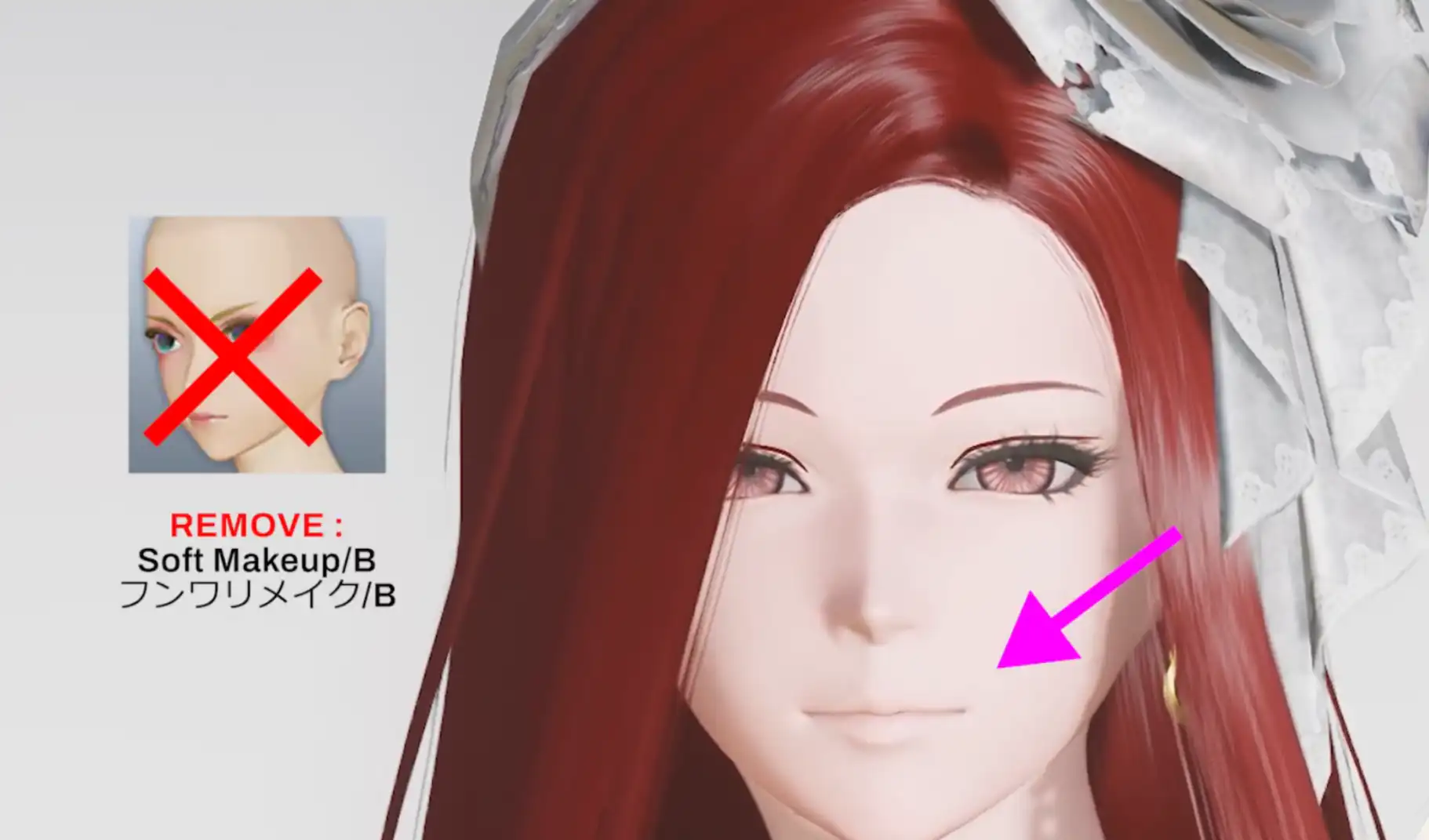

The character's face immediately appears much paler. This is where the impact of makeup starts to feel incredibly crucial.
If you don't have soft makeup B, you can try other alternatives. For instance, replacing it with spring makeup B yields a somewhat similar result, but the color tone is different because spring makeup B has a pink tone and less noticeable shading around the eyes. Another alternative is maiden makeup, which adds more even lipstick coverage and a subtle blush around the eyes.
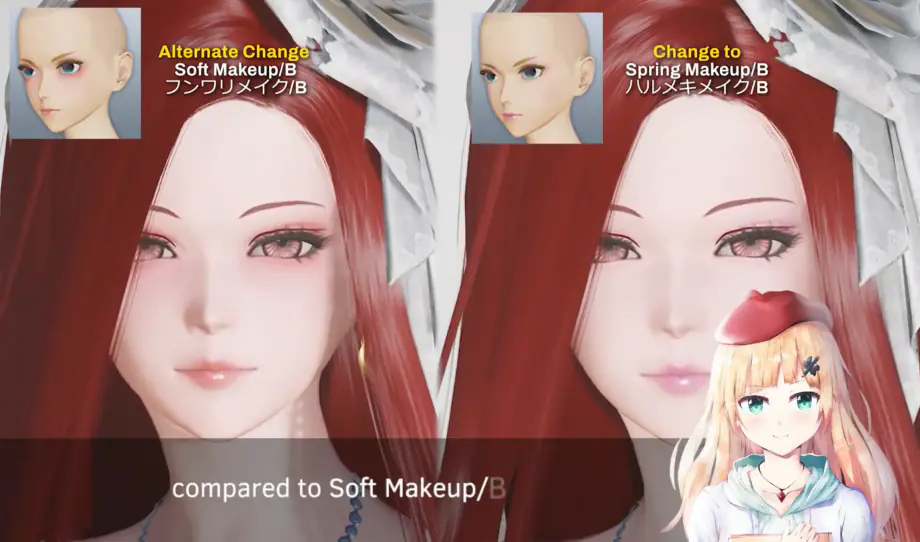
Another alternative makeup
Changing Hair and Pupil Settings
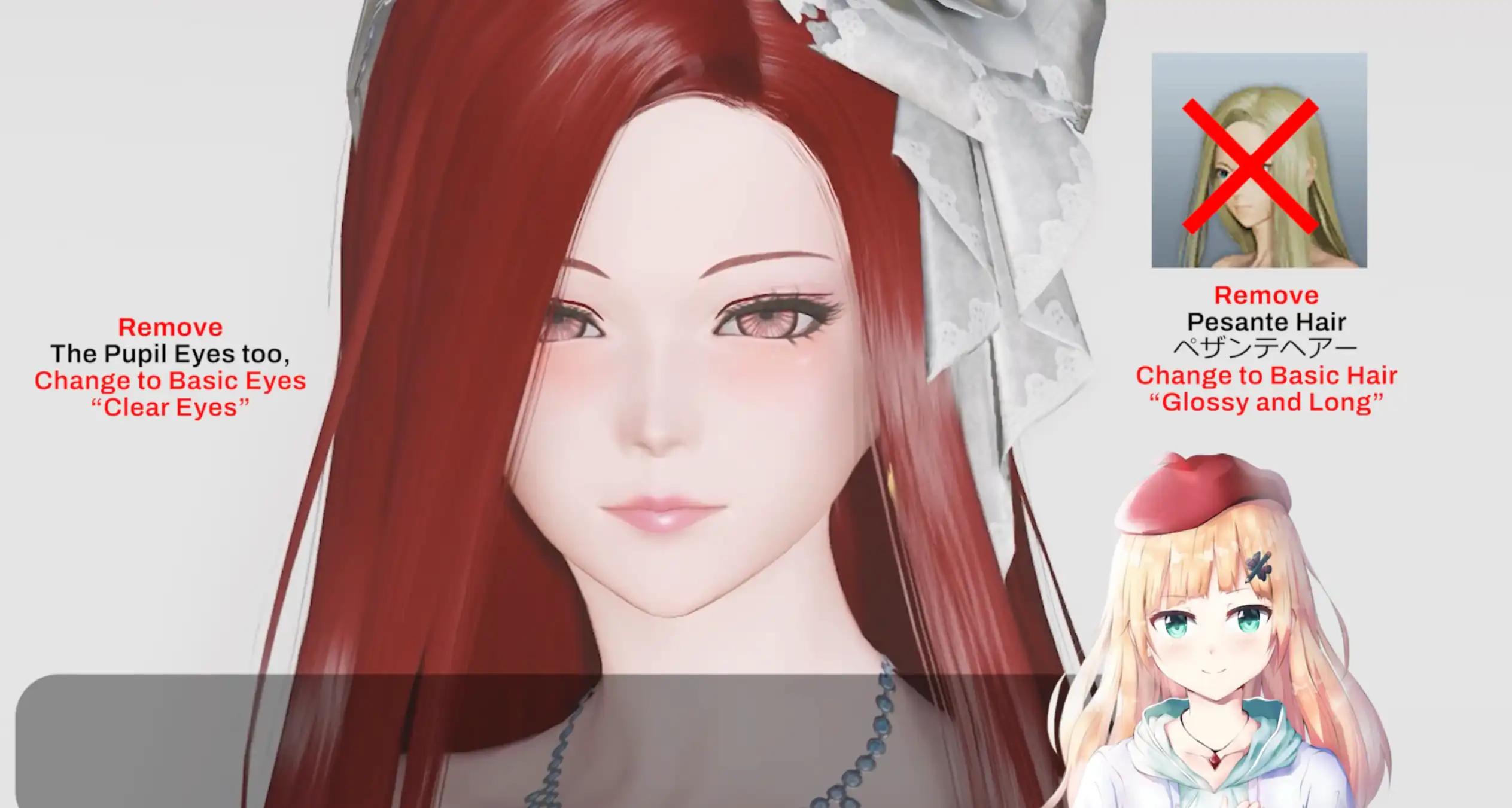
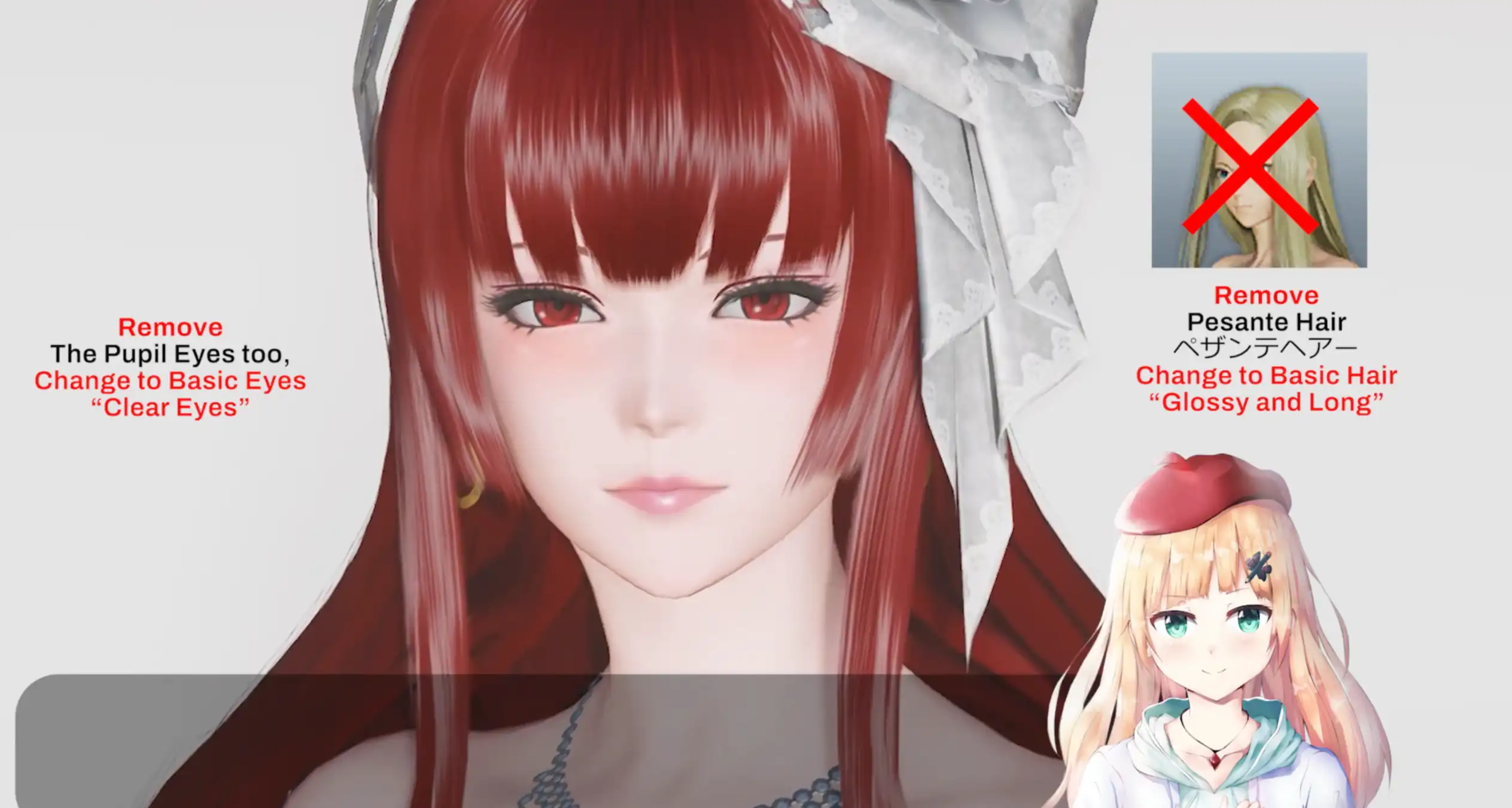
When the hair is switched to glossy and long and the pupils are changed to Clear Eyes, the changes don't significantly affect the overall look of the face. So, this part is pretty safe to swap around.
Switching Eyebrows and Eyelashes to Basic Items
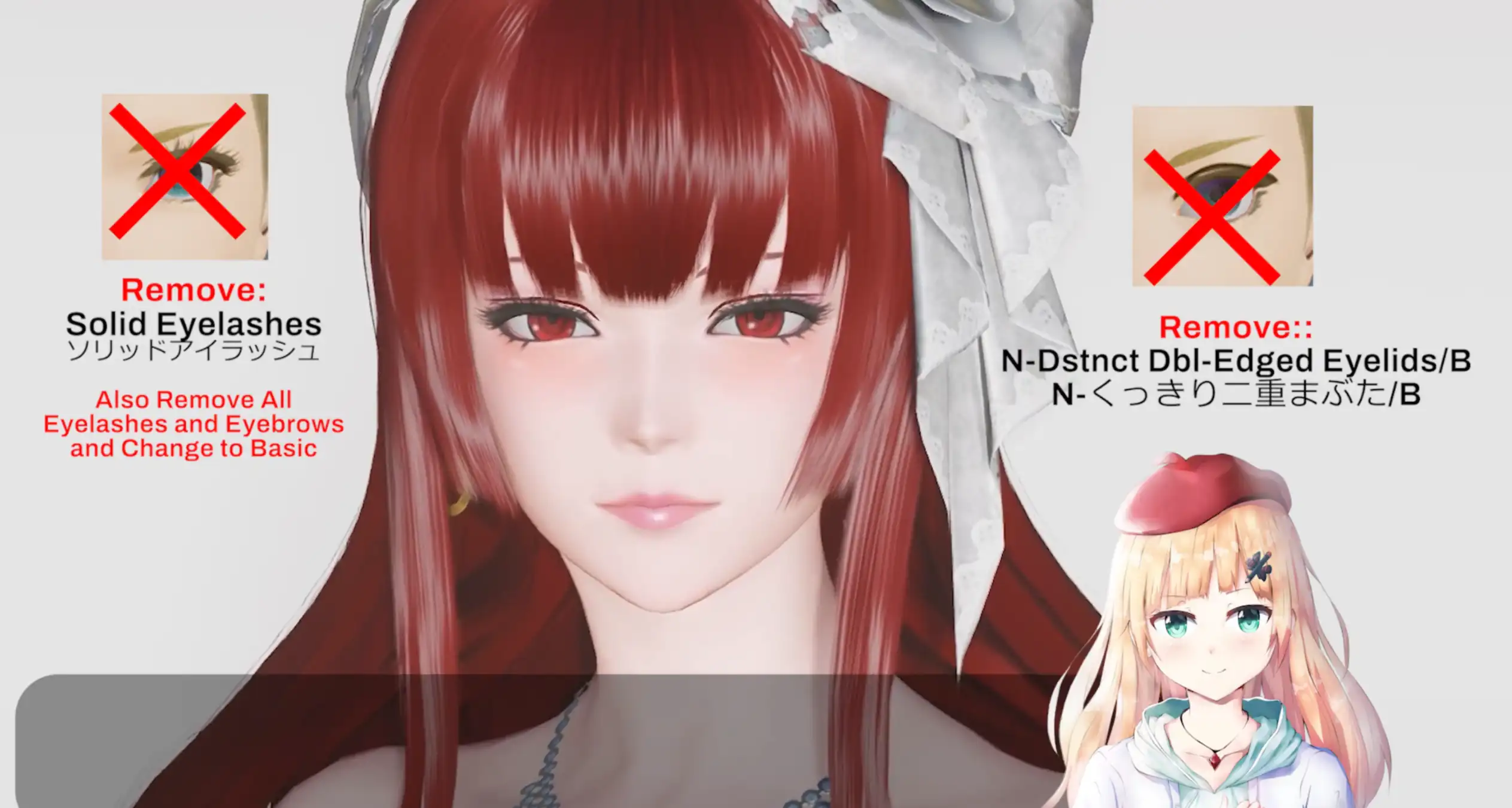
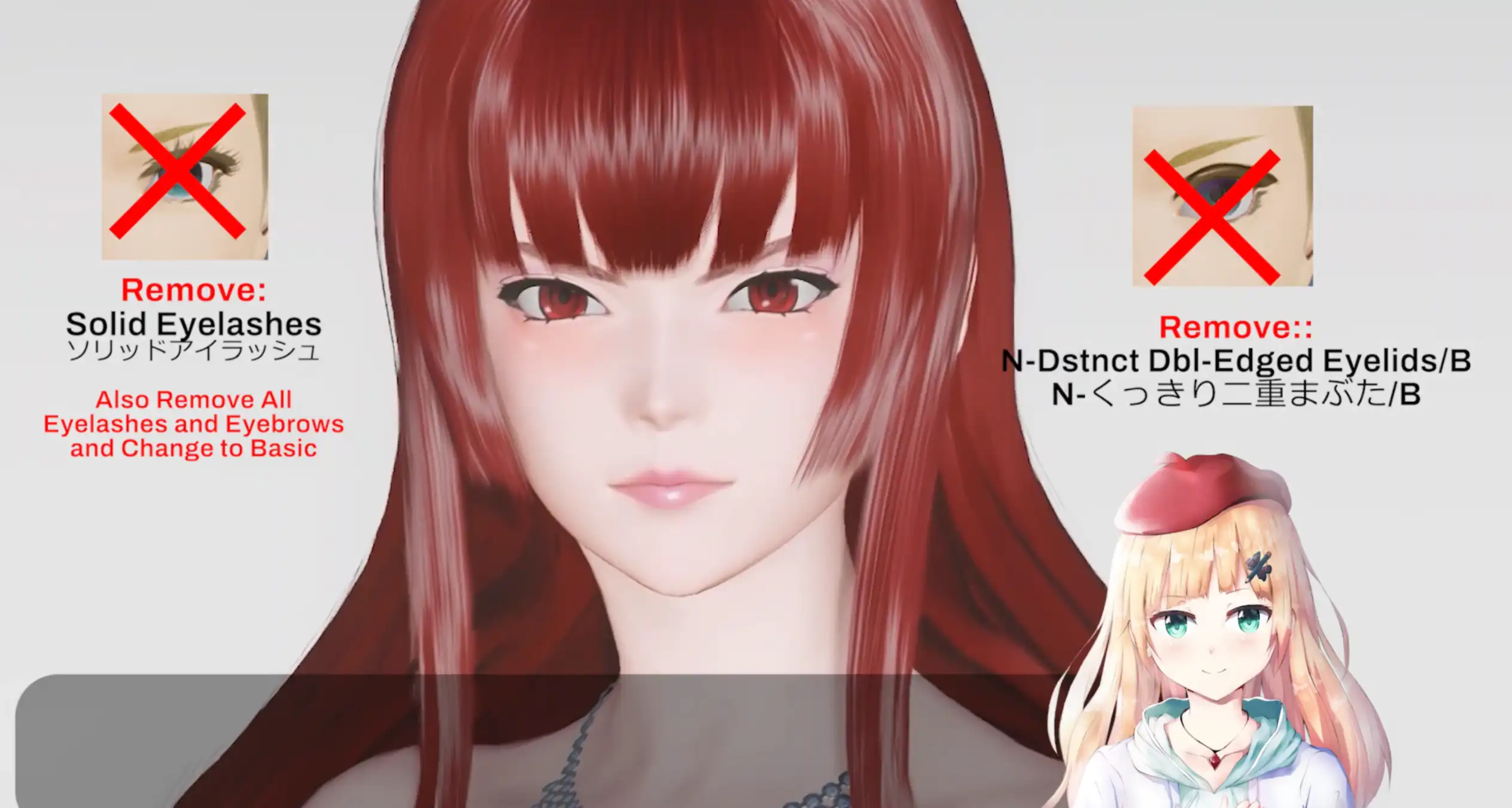
This is the most drastic part. When the eyebrows are changed to thin eyebrows and the eyelashes use cordial eyelashes, the character's face changes completely. These basic eyebrows give off a much angrier expression. Furthermore, without the additional eyelashes, the natural lashes point more upward.
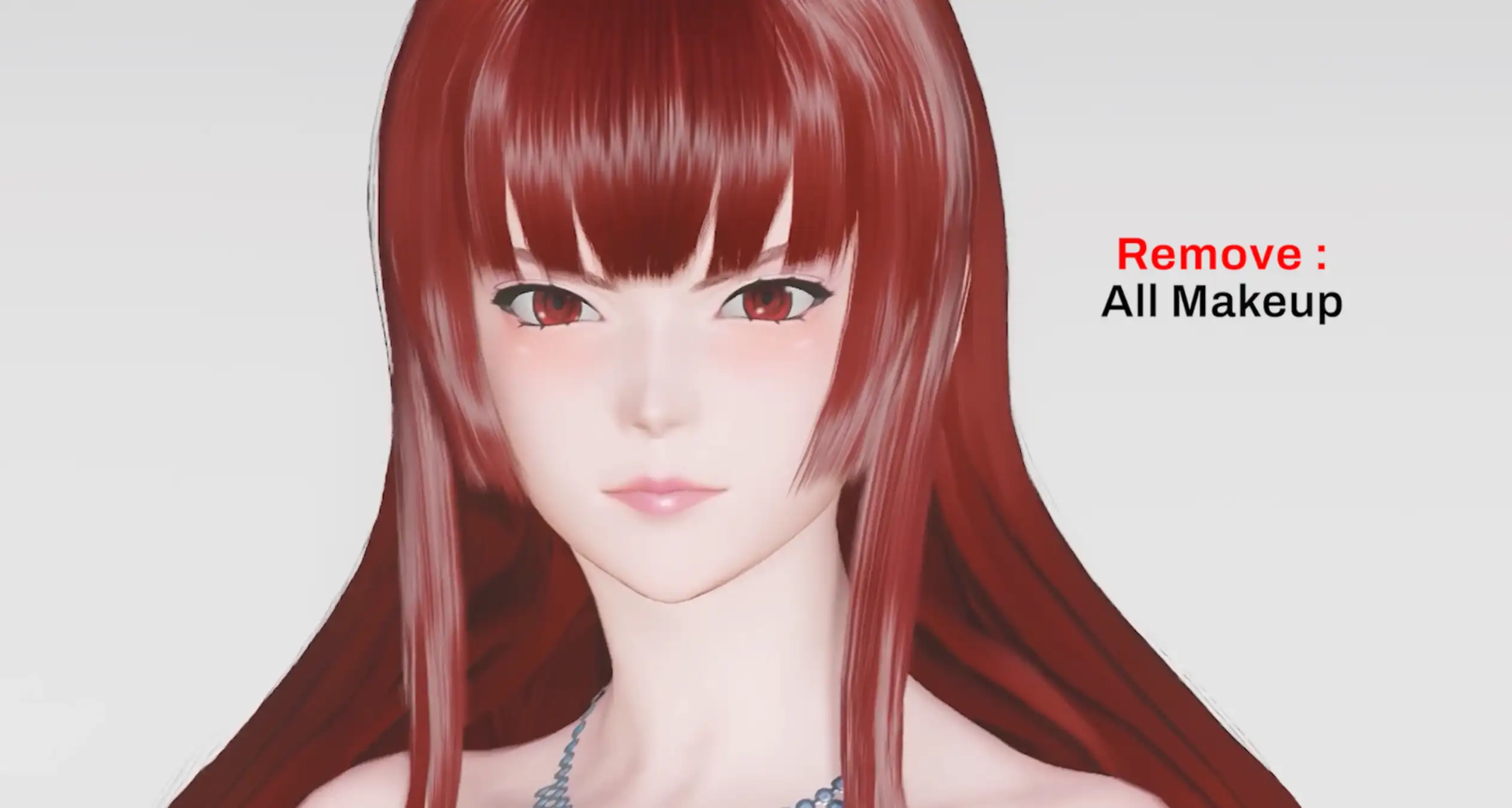
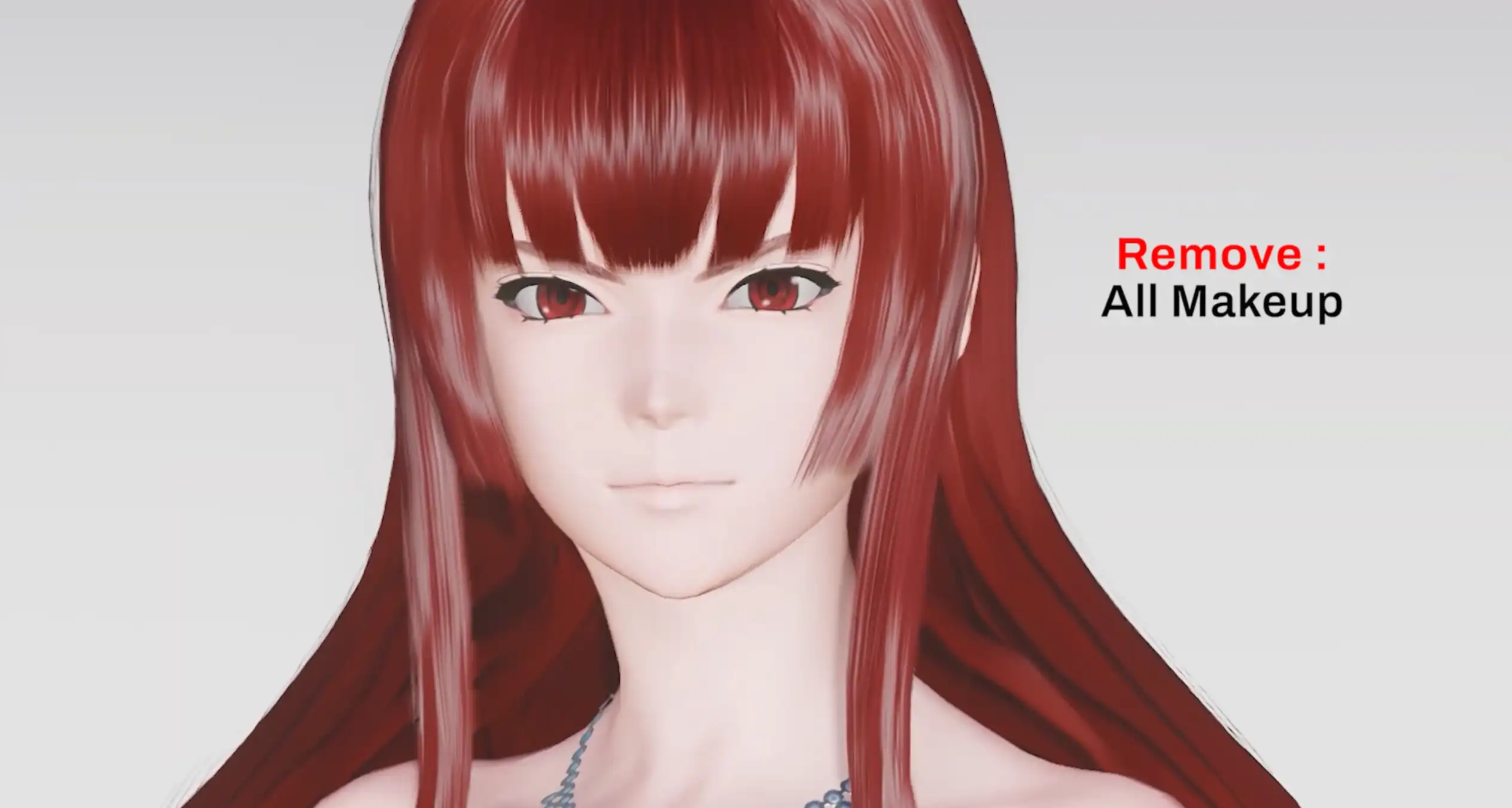
When all makeup and accessories are removed, the final look is dramatically different from the initial preset, even though the slider settings remain exactly the same. To fix this, you either need to use similar makeup/accessories, or adjust the sliders to match the items you currently have available.
The Video Breakdown
Showing how each item change and lighting angle directly alters the character's visuals inside the salon. You can check out the direct comparisons right here before you start tweaking your own character.



The same sliders can yield completely different faces if the cosmetic details don't match. Ultimately, don't be afraid to experiment with alternative items you own until you find the right combination.